Wa-Zaker — Daily Fortress
Azkar with meaning, audio and reading options for varied needs and languages.
RoleUX Designer, Front-End Developer & AI Workflow Lead
Designed adaptable reading, audio and content flows in both languages, and directed AI implementation.
Problem
I wanted daily zikr to work for people with different vision needs, audio preferences and first languages. The experience also needed to explain the meaning and value of each zikr and make starting easy.
Key decisions
I paired zikr with meanings, benefits and sources. Adjustable text, contrast, themes and audio offer different ways to engage in Arabic and English. Reading starts without an account, with optional device linking. User testing informed visual refinements.
Solution
I shaped the content, reading flows and responsive interface, then directed and reviewed AI implementation. The public app combines azkar, Qur’an and prayer times with audio, appearance settings, saved progress and optional device syncing.
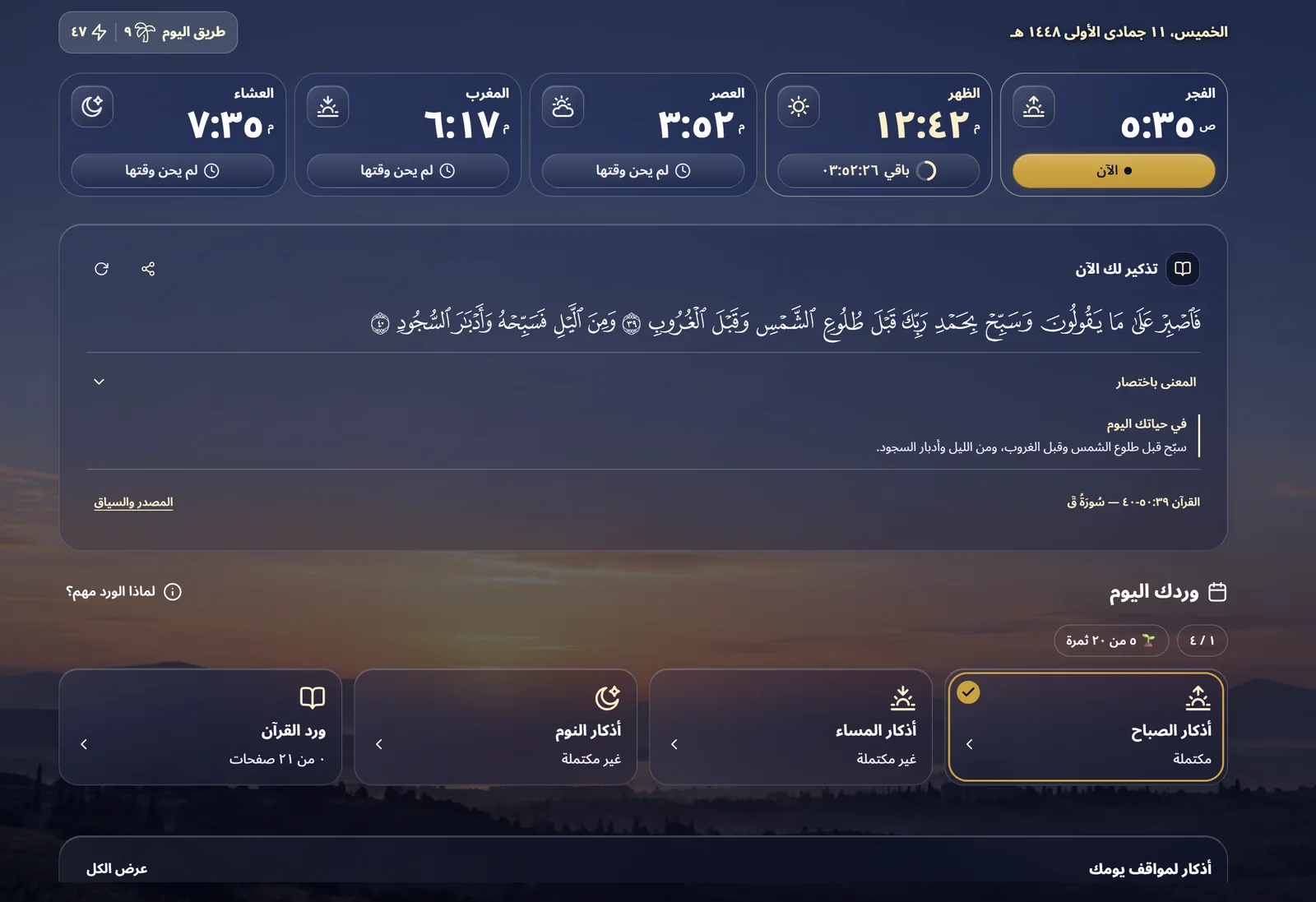
Explore screens & design details
A closer look at the features, interface and evidence behind the work.
A daily companion, at your own pace
Morning, evening, bedtime and after-prayer azkar, with supplications, meanings, benefits and source references. Tap to count and pick up where you left off.
Read the complete Mushaf with your place saved. Set daily pages, repeat a surah or juz, choose a completion schedule, or read freely.
Tap Qur’anic words for Arabic explanations and explore English verse meanings. Listen to Arabic and English azkar and selected surah recitations, with repeat and speed controls.
On-device prayer times, a next-prayer countdown and customizable reminders support the day. Activity charts and an optional growing oasis help make your routine visible.
Use Arabic or English on phone and desktop. Adjust fonts, themes, contrast and motion; use core azkar offline and download available audio and Mushaf pages in advance.
Turn azkar, supplications and benefits into customizable image cards, or share text and links. Optional QR device linking syncs progress when connected.
Designed for daily use
Swipe or choose a screen. Select the image to enlarge it.
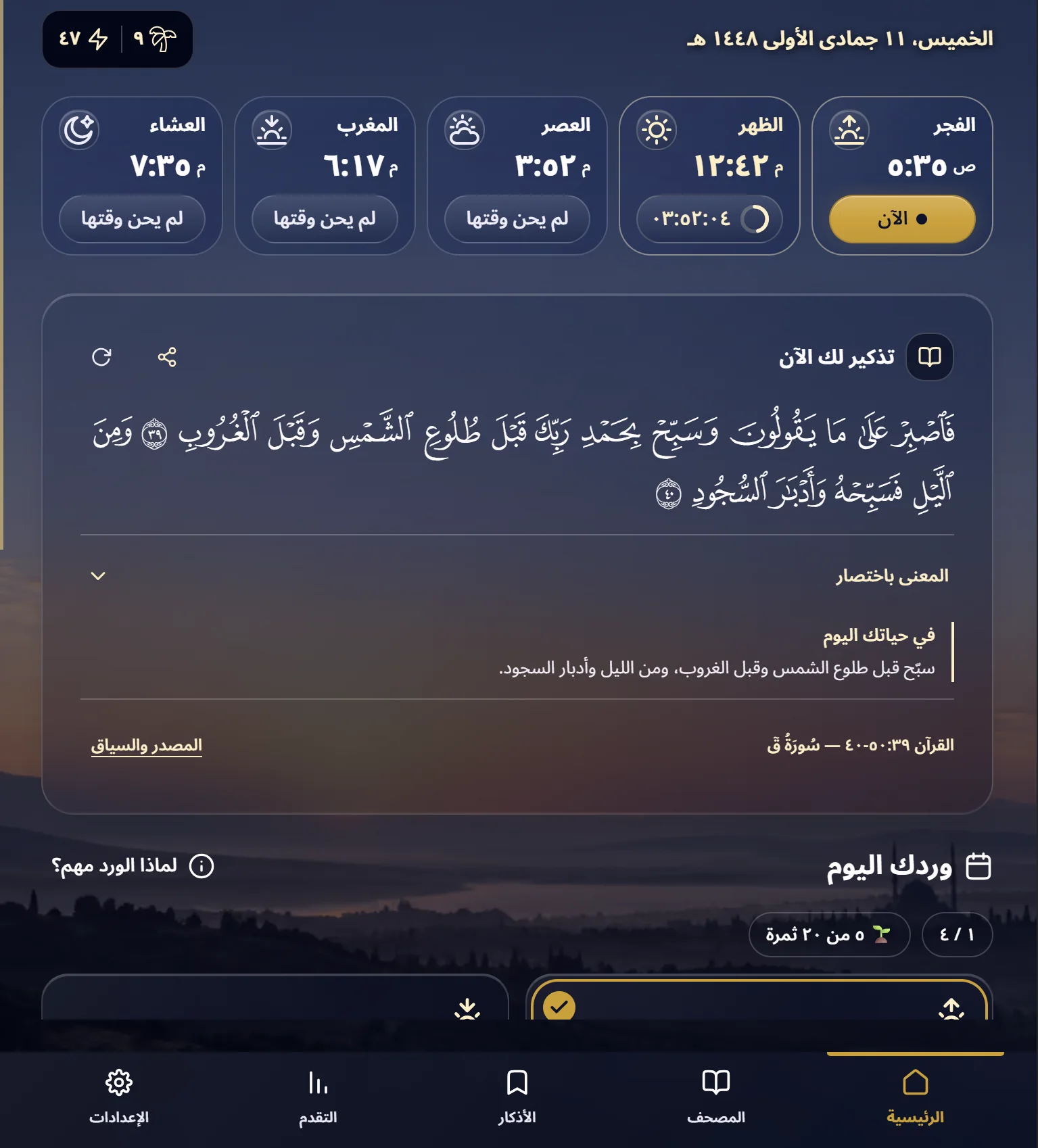
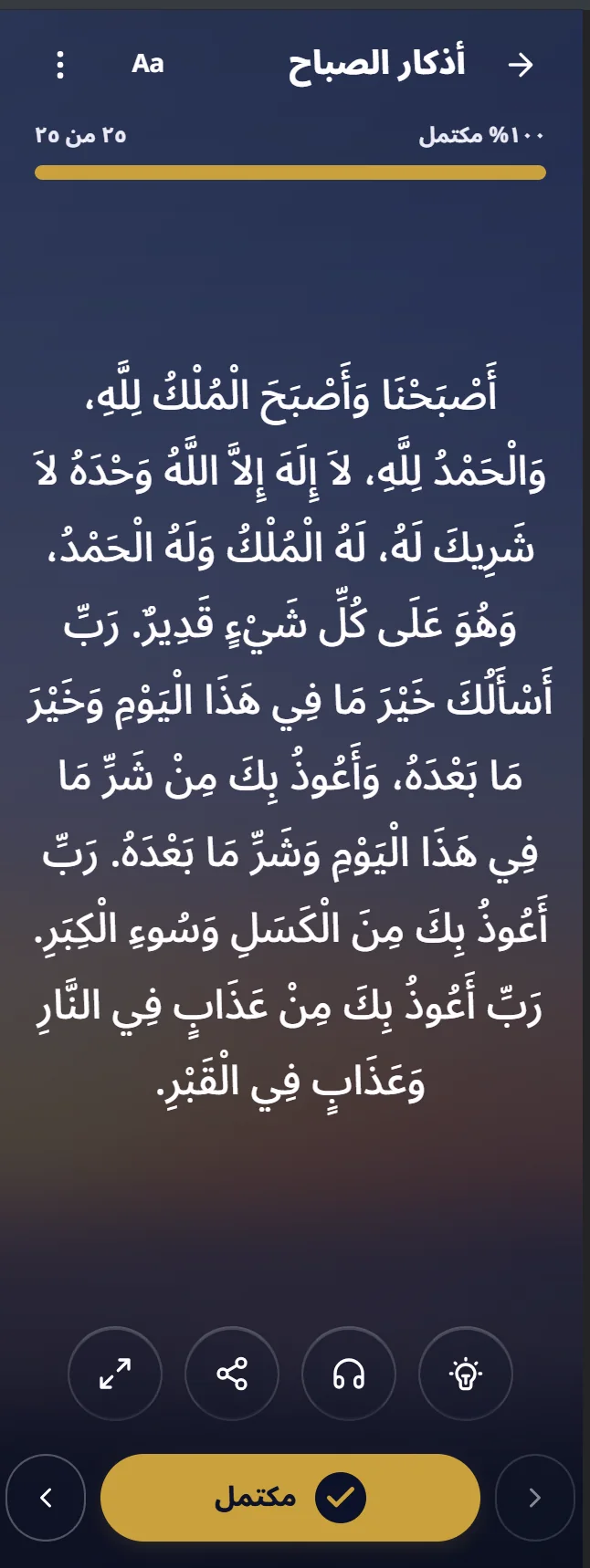
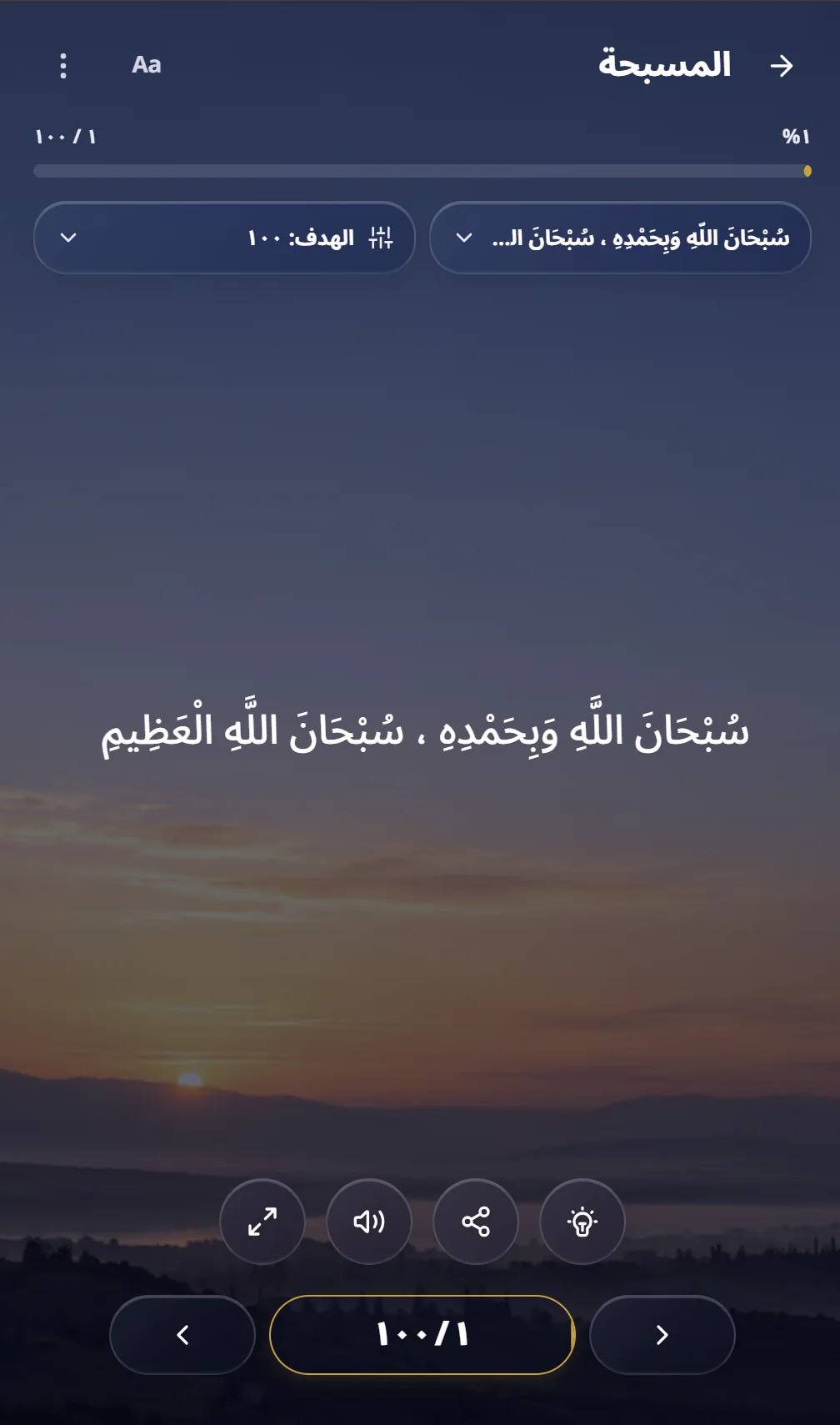
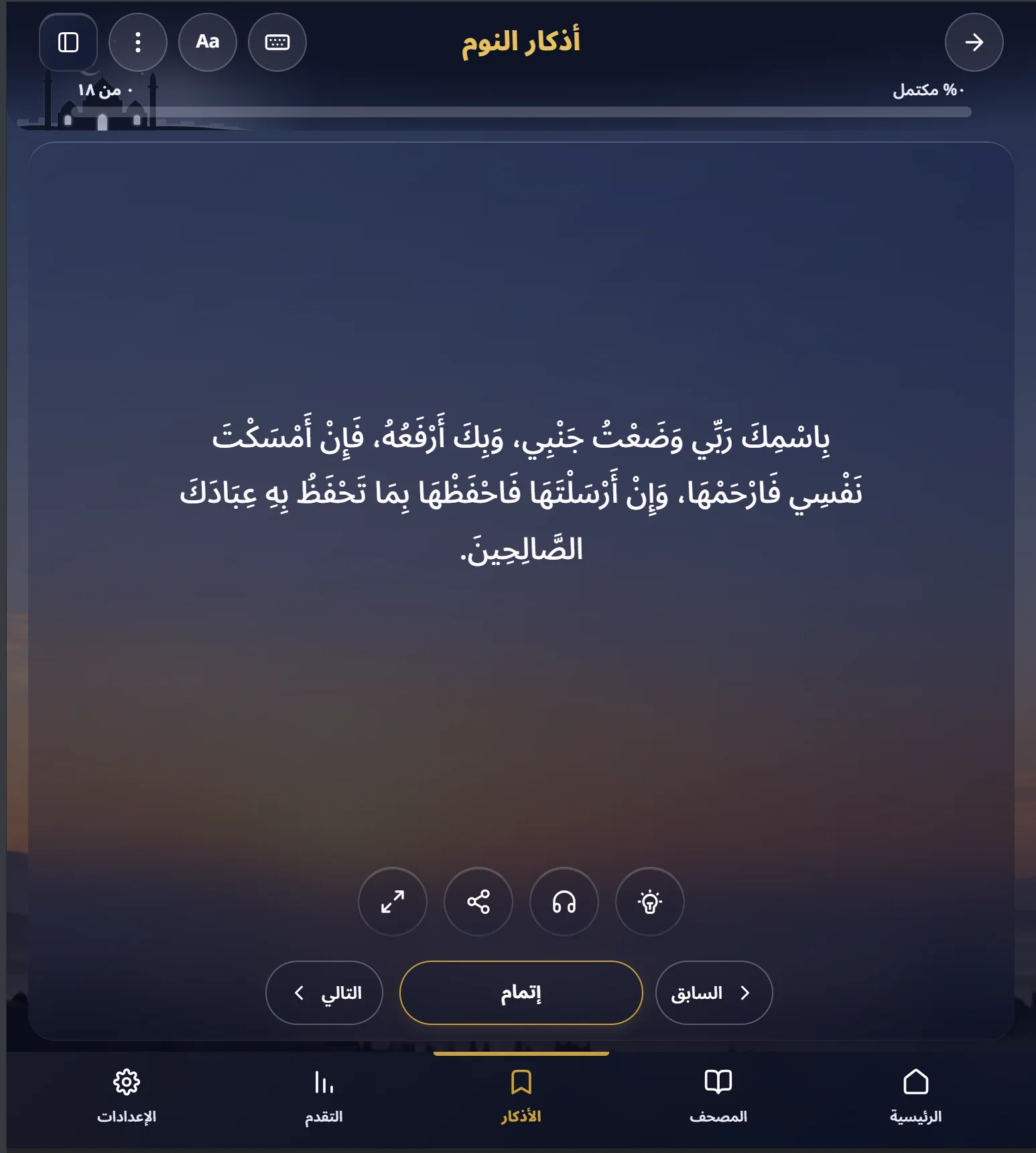
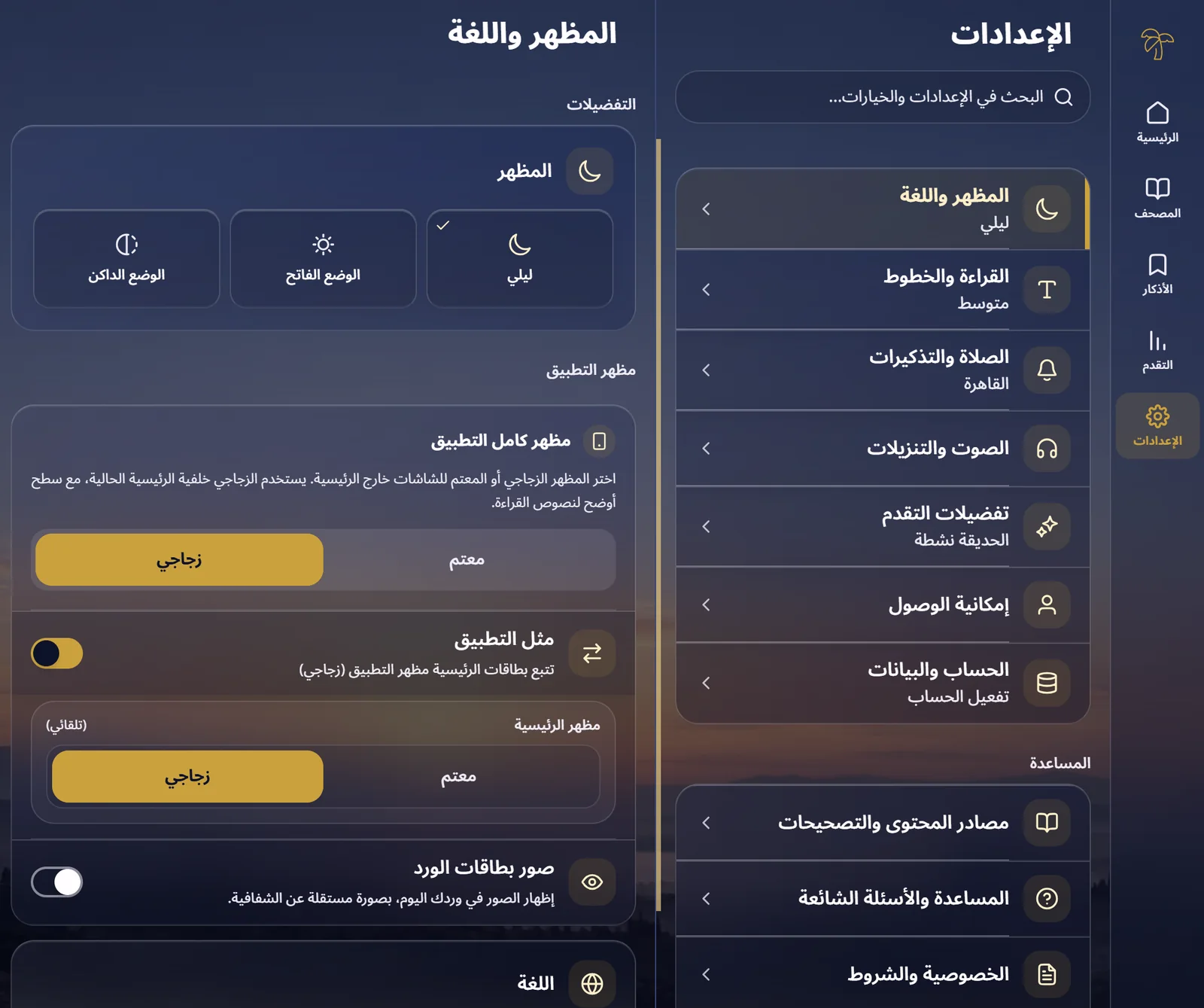
How the home screen evolved
An earlier release alongside the current interface: from a split dashboard to a daily overview centered on reading and routine progress.
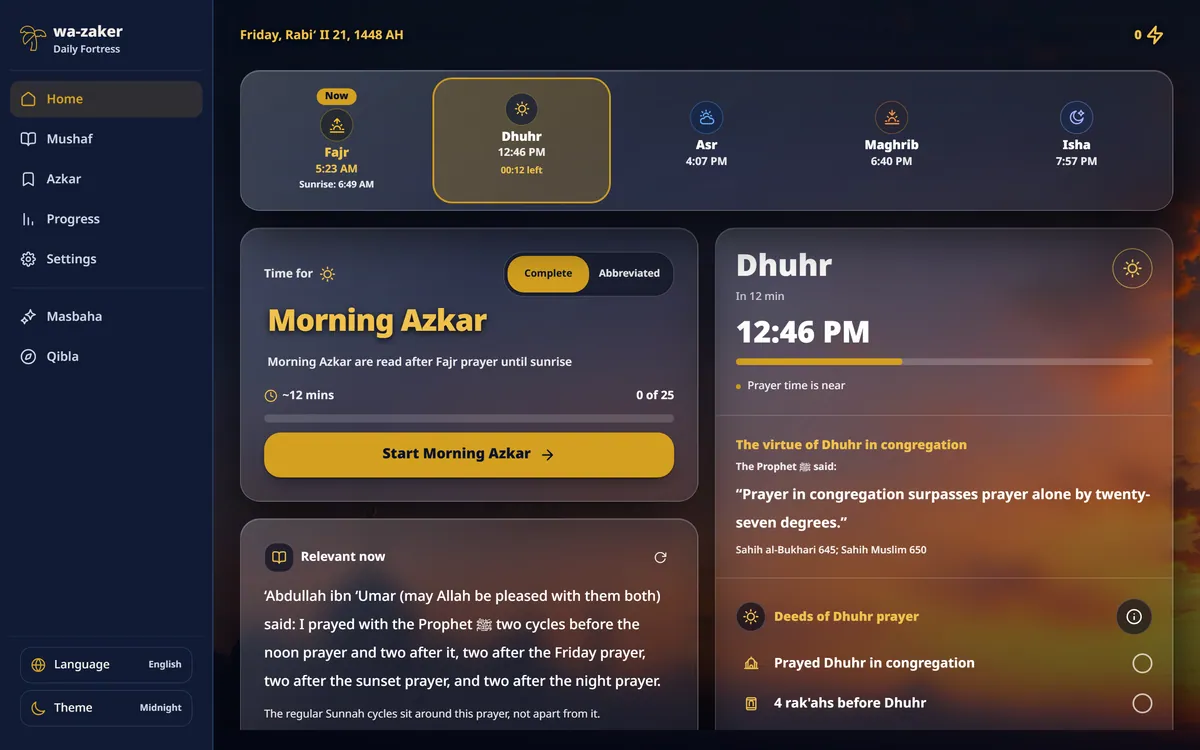
Earlier capture: 2 October 2026. Current screenshots supplied: 22 October 2026; their capture time was not recorded. Select either image to view it in full.
Wa-Zaker across devices
Start a quick session on your phone, explore your routine on a tablet, or open a comfortable reading space on your desktop.
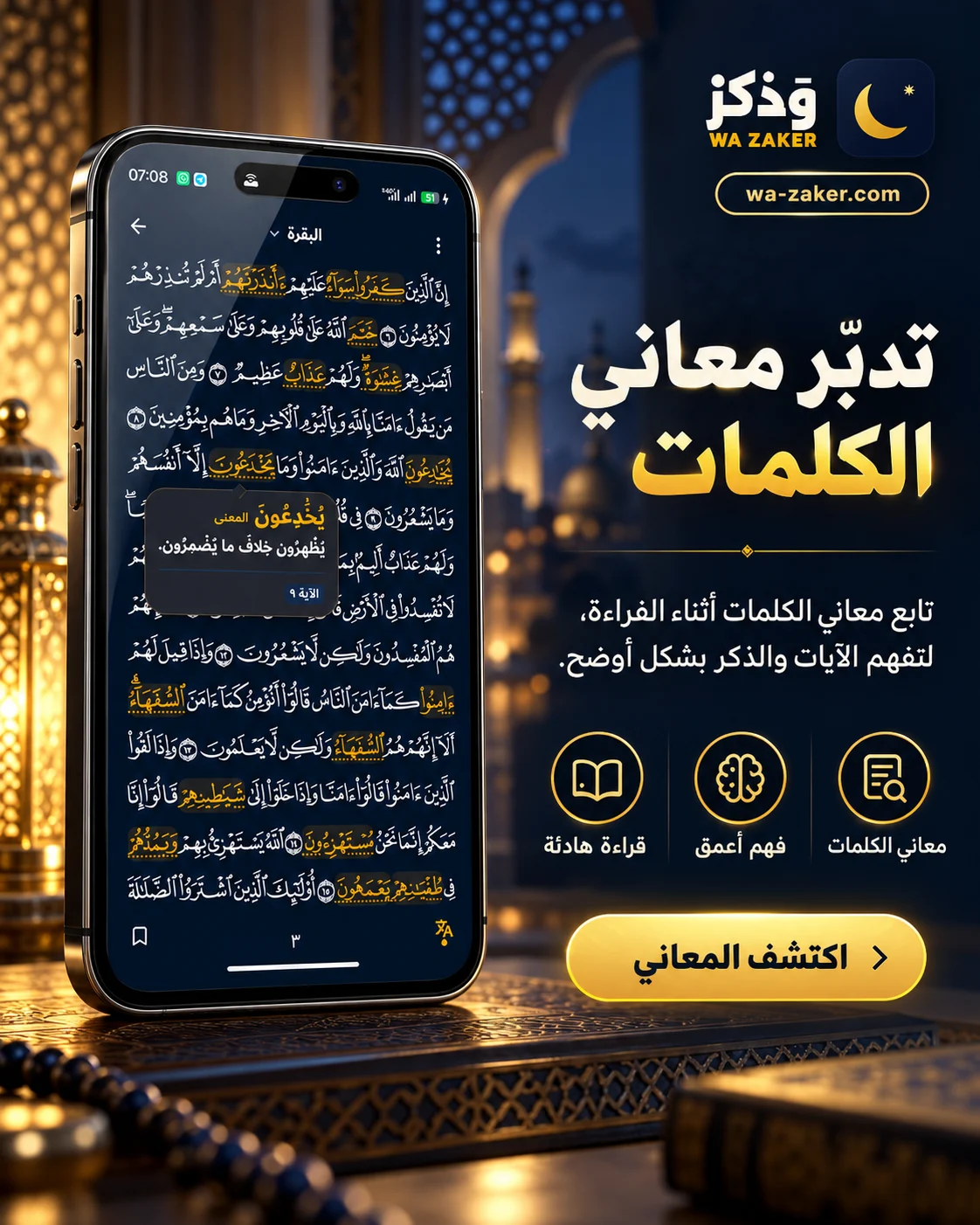
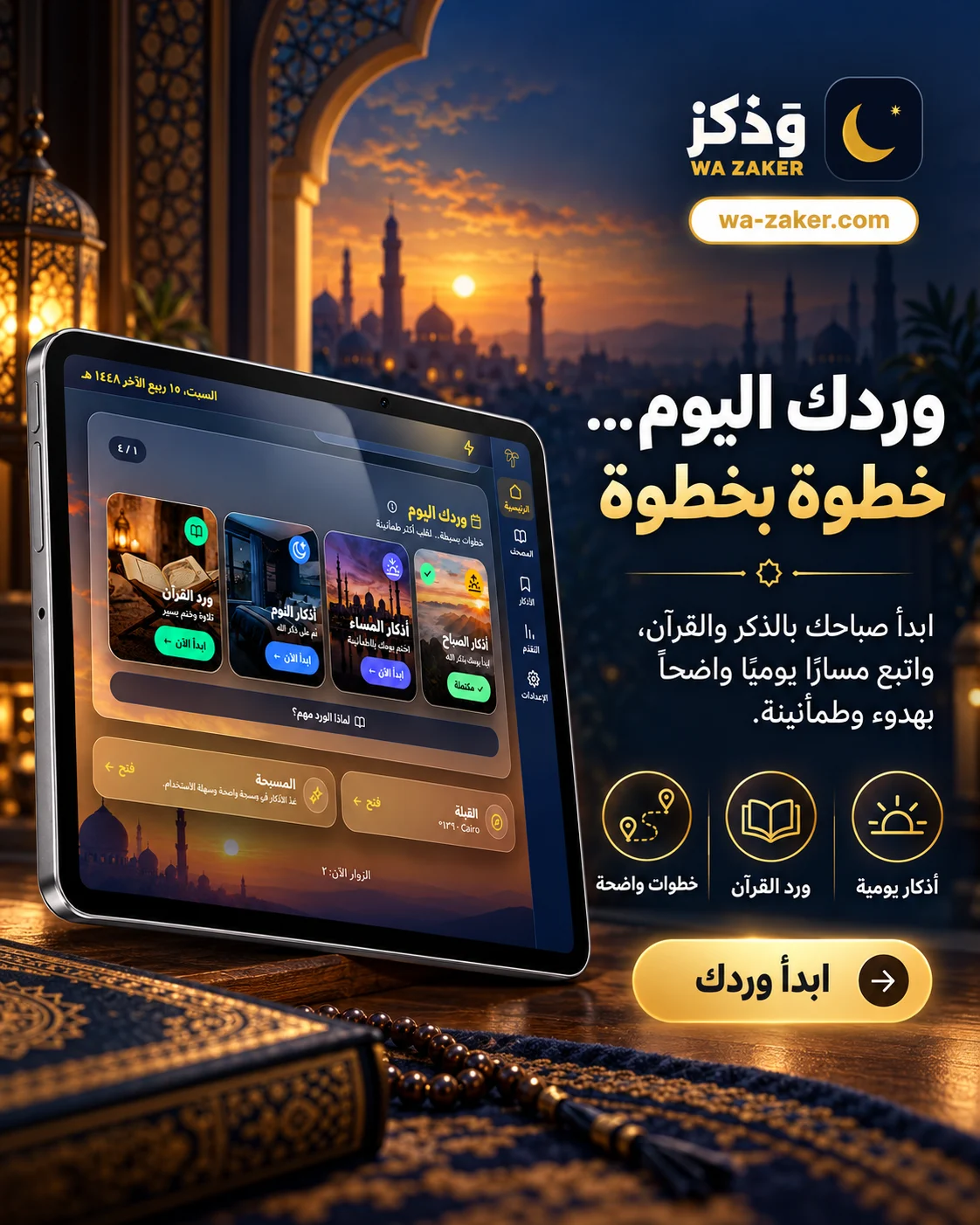
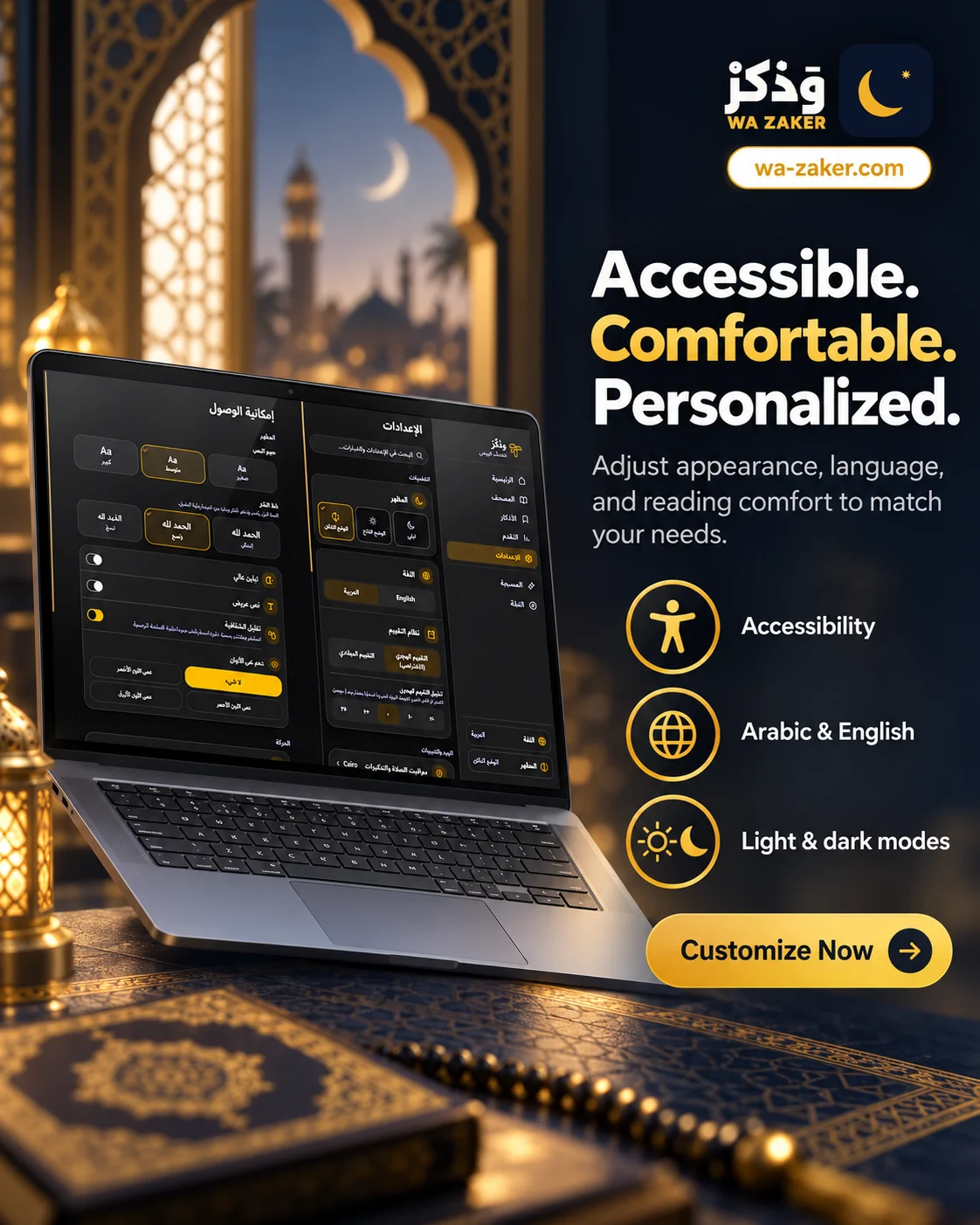
Begin without an account. Offer meanings and audio alongside the text, adjustable reading and appearance settings, and optional QR linking to continue across devices.
Trade-off: Progress stays on the device until optional QR linking is used. Syncing needs a connection, and available audio and Mushaf pages need downloading before offline use.
What I learned
Accessibility shaped the content and controls together. I translated different reading, listening and language needs into interface requirements, then refined the presentation through user testing and implementation review.
Next validation task
Build on the user testing with tasks for reading and listening preferences, English access, meaning discovery and device syncing. Include keyboard, screen-reader and offline-resume checks.
Evidence includes designs, live demos, and documented decisions. Business outcomes require sourced measurements.
Evidence reviewed:
Wa-Zaker in context
Three apps, their strengths, and the evidence behind each verdict.
How to read this comparison
Wa-Zaker’s public reading, appearance and accessibility settings were tested as a guest in Edge on Windows, including palette changes, text scaling and saved preferences. The other apps were reviewed through official documentation. Verdicts compare demonstrated or documented features; they do not establish overall usability or assistive-technology conformance.
“Not verified” means this review did not establish the feature, not that the product lacks it. “Observed” describes only the sampled flow. “Documented” is a publisher’s claim, not an independent test.
- Observed
- Documented
- Not verified
Verdicts are editorial judgments based on the cited evidence. A checkmark identifies the evidence status, not a product score. Unverified features are never treated as missing.
On a narrow screen, scroll this table horizontally. Keyboard: focus the table region, then use the arrow keys.
| Dimension |  Wa-ZakerBrowser-first reading |  Dhikr & DuaDedicated dhikr & dua · Life With Allah |  Muslim ProAll-in-one utility suite | Verdict |
|---|---|---|---|---|
| Browser-first access | ObservedOpen a link and readView evidenceBrowser reader reached without an account or installation; Azkar, Mushaf, prayer times and progress in navigation. | DocumentedDedicated dhikr & dua appView evidenceDedicated dhikr/dua app; listing includes audio, reminders and articles. | DocumentedBroad Islamic utility suiteView evidenceBroader suite: prayer, Qur’an, Qibla, dua, community and learning. | WinnerWa-Zaker Best demonstrated fit for starting a reading session from a browser link. [6] [10] [11] |
| Breadth of features | ObservedAzkar, Qur’an, prayer & progressView evidenceBrowser reader reached without an account or installation; Azkar, Mushaf, prayer times and progress in navigation. | DocumentedDhikr, audio, reminders & articlesView evidenceDedicated dhikr/dua app; listing includes audio, reminders and articles. | DocumentedPrayer, Qur’an, Qibla & communityView evidenceBroader suite: prayer, Qur’an, Qibla, dua, community and learning. | WinnerMuslim Pro The broadest documented suite here, including community and learning. [6] [10] [11] |
| Reading controls | ObservedLive scaling, 3 fonts & focusView evidenceThree text sizes with a live reading preview; Humanist, Clear and Naskh fonts; optional translation and pronunciation; labeled reader tools, focus mode and keyboard-shortcuts help. Large text and Naskh remained selected after reload. | DocumentedFonts, text sizes & searchView evidenceAdjustable Arabic, translation and transliteration sizes; Arabic font choice and keyword search. | Not verifiedEquivalent controls unverifiedView evidenceCustomization is described; equivalent dhikr-reader controls were not verified. | WinnerDhikr & Dua Edge for separately adjustable Arabic, translation and transliteration sizes, plus keyword search. [6] [2] [9] [11] |
| Counting and continuity | ObservedProgress survived an offline reloadView evidenceCompleted one item; 1 of 18 persisted after offline reload. Backup/restore and sign-in/device-link controls are visible; sync was not exercised. | DocumentedCounter & reminders listedView evidenceDhikr counter and reminders are listed; cross-device continuity was not assessed. | DocumentedGoals & feedback in older helpView evidenceHelp describes custom phrases, goals and haptic/sound feedback. Article date is old; current build untested. | VerdictNo clear winner Different strengths; cross-device continuity needs comparable tests. [6] [7] [10] [12] |
| Offline boundaries | ObservedPreviously loaded reader testedView evidenceWarmed before-sleep reader worked offline in Edge on Windows. Fresh-device access, all collections, audio downloads and long-term cache eviction remain untested. | Not verifiedOffline coverage unverifiedView evidenceOffline reading/audio coverage was not established from the reviewed listing; this does not mean unavailable. | DocumentedPremium offline media listedView evidencePremium includes offline Qur’an recitations and Qalbox; this does not establish offline dhikr coverage. | VerdictNo clear winner Only Wa-Zaker’s cached reader was tested. Coverage is not comparable. [6] [10] [11] |
| Content provenance | ObservedNamed sources in the readerView evidenceSources page names Hisn al-Muslim and Qur’an providers; sampled reader exposes a Benefit control. Religious accuracy was not independently reviewed. | DocumentedSources & review process publishedView evidenceFAQ names source books and a hadith cross-checking process; this is publisher documentation. | Not verifiedDhikr-level sources unverifiedView evidenceItem-level dhikr sourcing was not established by the reviewed overview. | WinnerDhikr & Dua Edge for a published cross-checking process; not an accuracy certification. [8] [6] [9] [11] |
| Ad-free experience | ObservedAd-free, with no removal feeView evidenceAd-free by policy: the public Privacy & terms page explicitly states there are no ads. Public navigation, reading and settings showed no ad placements or paid ad-removal gate. Advertising checks are separate from analytics and optional account data. | DocumentedFree & ad-free, per publisherView evidenceLife With Allah explicitly describes Dhikr & Dua as free with no ads. This is publisher documentation; an installed build was not tested. | DocumentedAds in free; Premium removes themView evidenceFree core is ad-supported; Premium removes banner/video ads. | Shared winnersWa-Zaker & Dhikr & Dua Shared win: both offer an ad-free experience without paying to remove ads. Muslim Pro reserves ad removal for Premium. [4] [6] [3] [5] [11] |
| Visual accessibility & comfort | ObservedColor-blind palettes, contrast & scalingView evidenceDedicated Deuteranopia, Protanopia and Tritanopia palettes, high contrast, bold text, reduced transparency and reduced motion were exercised; settings persisted after reload. Midnight, Light and Dark themes support personal reading comfort. Text sizes and font choices have a live preview. These demonstrated controls earn the category win; eye-strain relief and full assistive-technology conformance are not measured outcomes. | DocumentedReading sizes & fonts documentedView evidenceArabic, translation and transliteration sizes and font choices are documented. Dedicated color-blind palettes, transparency and motion controls were not established by the reviewed sources; their absence is not inferred. | Not verifiedEquivalent visual controls unverifiedView evidenceCustom themes are described, but equivalent color-blind, contrast and scaling controls were not established in the reviewed overview. | WinnerWa-Zaker Strongest demonstrated visual accessibility toolkit here: three color-blind modes, contrast, scaling and sensory controls. This is a feature comparison, not a WCAG certification. [1] [2] [3] [6] [9] [11] |
What to improve or validate next
Publish an offline coverage matrix
The tested session is a useful baseline. Verify fresh versus cached visits, multiple collections, audio availability, storage eviction and recovery on iOS and Android before promising complete offline coverage.
Test discoverability, not just feature presence
The reader exposes appearance, options, sidebar, meaning, benefit, audio and focus controls. Test whether first-time readers can change text size, find a source and resume a session without help. Compare a compact toolbar alternative; it is a new design hypothesis, not historical iteration evidence.
Make trust and recovery demonstrable
Backup, restore, pairing and sign-in controls already exist. Exercise export/import round trips and cross-device conflicts. Have a qualified reviewer assess source references and correction handling; listing sources alone does not certify content.
Validate reading with people and assistive technology
Run Arabic and English tasks with keyboard, NVDA/VoiceOver, enlarged text and reduced motion. Report task completion and observed obstacles with consent. No usability outcome or accessibility certification is claimed here.
Reproduce the offline observation
- Open Wa-Zaker online as a guest; choose English and open Before Sleep Azkar.
- Complete the first item; the reader advances to item 2 and shows 1 of 18.
- Set the browser offline and reload the same route. The sampled session returned with 1 of 18 and an offline notice.
- Restore the connection. This check covers a previously loaded reading session, not all media or a cold first visit.
Sources and review limits
Sources checked on the date above. The Muslim Pro Tasbih article displays a 2016 update date, so its current implementation needs device verification. No ratings, download totals, religious authority claims or numerical product scores are used.
- Wa-Zaker · accessibility controls (tested 22 October 2026) · Observed
- Wa-Zaker · text scaling, fonts and reading preview · Observed
- Wa-Zaker · appearance and language · Observed
- Wa-Zaker · public no-ads policy · Documented
- Life With Allah · free, ad-free app statement · Documented
- Wa-Zaker · public reader · Observed
- Wa-Zaker · account and data · Observed
- Wa-Zaker · content sources · Observed
- Life With Allah · official FAQ · Documented
- Dhikr & Dua · developer’s Google Play listing · Documented
- Muslim Pro · official features and FAQ · Documented
- Muslim Pro · Tasbih help (dated 2016) · Documented
Observed in browser review
At 390px and 1440px, the Light theme remained selected after reload. Switching to Arabic applied RTL direction, and that preference also survived reload. The settings page did not overflow either viewport.
Scripted Chromium interactions at emulated viewport sizes. These observations describe interface behavior; they are not participant usability findings or measured improvements.