HR Management Tool
Leave balances, request status and approval actions in one responsive workspace.
RoleUX Designer
Designed request flows and approval states, then reviewed the AI-assisted implementation.
Problem
Employees and reviewers need different views of the same request. I explored how to keep balances, progress and the next action connected through submission and approval.
Key decisions
I kept the balance, status and next action with each request. Role-based navigation separates employee and reviewer tasks. For batch review, a selection summary and confirmation make the scope of an action clear before it affects several requests.
Solution
I designed the request flows, approval states and calendar views, then reviewed the AI-assisted implementation. The responsive prototype connects employee and reviewer journeys, including Arabic layouts and batch review.
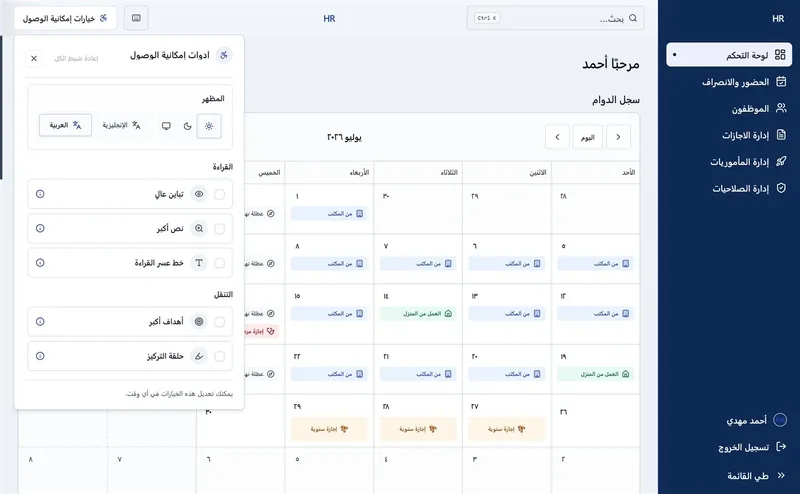
Explore screens & design details
A closer look at the features, interface and evidence behind the work.
I paired batch review with a selection summary and confirmation to clarify which requests would change.
Trade-off: Batch review groups repetitive decisions. A mistaken selection can affect several requests, so confirmation and recovery matter.
A closer look at the design
Explore three decisions in the interface. Open a numbered detail to highlight its place in the screen.
01 · Let people adapt the interface
The open accessibility panel groups appearance, reading, and navigation settings. Keeping these controls together makes them easier to discover; the calendar stays visible so people can assess changes in context.
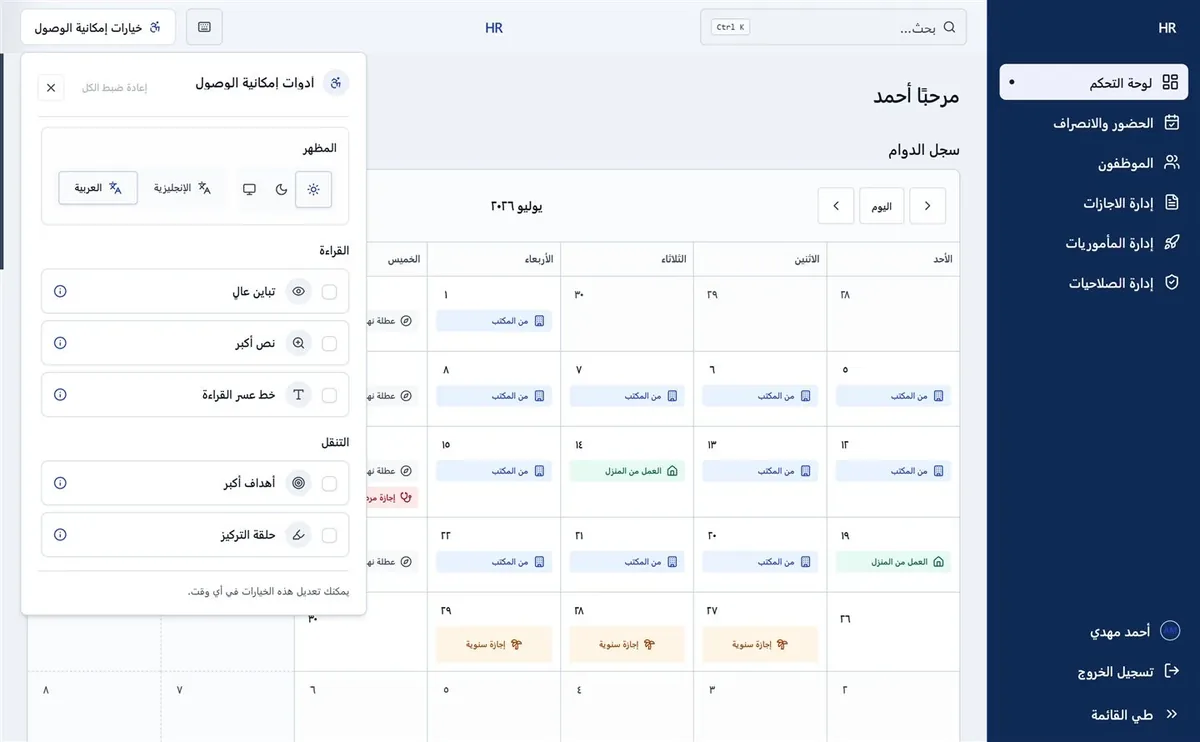
02 · Put the schedule in context
The monthly calendar places work locations and leave labels directly on dates. Text accompanies color so different states remain distinguishable. A useful next test is finding a specific day with enlarged text.
03 · Keep destinations predictable
A persistent RTL sidebar groups attendance, employees, leave, and permissions. The selected destination provides orientation. Consistent placement reduces the need to relearn navigation between workflows.
Why this approach
A reviewer needs to understand the scope of a decision before confirming it. Keeping selection, status and actions together makes the workflow easier to inspect and provides specific states to test.
What I learned
Defining each role’s actions and request states gave me a clear basis for reviewing the AI-assisted implementation.
Next validation task
Test submitting, approving and rejecting a request, then recovering from a mistaken batch selection. Compare completion, errors and time with the current process.
Evidence includes designs, live demos, and documented decisions. Business outcomes require sourced measurements.
From a legacy screen to a testable workflow
The project’s public repository contains an older vacation-search screen. The current public demo exposes a dedicated Create Leave dialog. These are different tasks within the same domain; the images show interface structure, not a controlled before/after usability result.
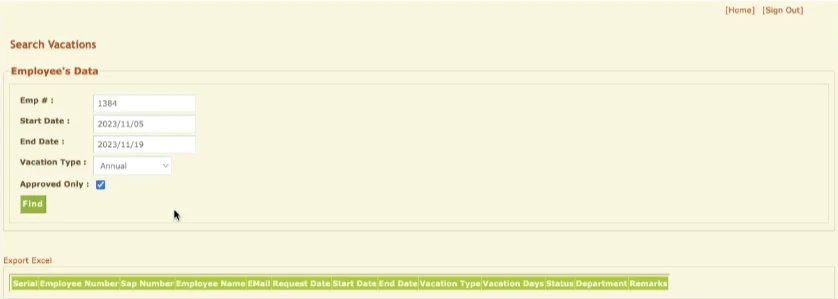
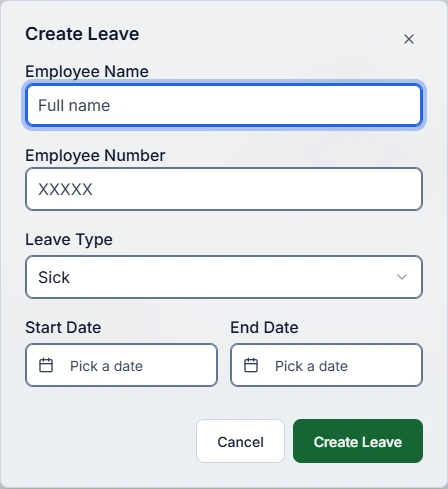
Decision to evaluate: separate finding existing requests from entering a new request, group dates together, and keep the primary action close to the form. The current demo makes this design direction inspectable. It does not prove that submission is faster or errors are lower.
Next validation: ask HR staff to find an existing request, create one with an invalid date range, recover from the error, and explain its approval status. Record success, assistance and misunderstandings before publishing any outcome claim.
View the supplied project and its source images · Try the current demo
Demo observed 21 October 2026; the legacy image’s capture date is unknown. No request was submitted during this review.
Observed in browser review
At 390px and 1440px, the guest demo blocked an empty leave request with a missing-date alert and an invalid state on the start-date field. The Arabic preference and RTL direction survived reload. The document did not overflow either viewport.
Scripted Chromium interactions at emulated viewport sizes. These observations describe interface behavior; they are not participant usability findings or measured improvements.